



 Hotline: 0855.911.911
  RSS
RSS 





One of the advantages of MacBooks is their speed. MacBooks are renowned for being lightning fast, even as they age. However, like any other computer product, Macs can gradually slow down over time.
It might lag, freeze, overheat, or take too long to boot up. This is frustrating and inefficient for users, but there are several things you can do to make your computer run faster.

MacBooks are renowned for being lightning fast, even as they get older.
The first and most common solution is to restart the device. This will clear up any background activity that is overloading the CPU and causing lag. You simply need to click the Apple icon in the top left of the menu bar, then select it. RestartIf your device is still slow after that, you may need to try other troubleshooting steps.
Opening too many battery-draining apps

Opening too many applications at the same time can also slow down your MacBook.
Running too many applications at the same time slows down your computer. Another way to make your Mac run faster is to close all unused applications. The simplest way to do this is through the Dock on your screen. All running applications will show up in the Dock with a glowing dot below their icon. To close an open application, right-click on its icon and select Exit.
Another reason why Macbooks become slow is background applications. macOS comes with an application that allows you to monitor and manage those processes or activities, called a monitoring tool. Activity MonitorAs its name suggests, Activity Monitor tracks all activities running on your Mac and provides in-depth reports on how they affect your computer's performance. You can access this feature through Utilities in the section Application or press simultaneously Cmd + Space key and type "Activity Monitor" into the search bar.
You'll find that it divides activity into five categories: CPU, Memory, Power, Disk, and Network. The CPU section will list the applications that are consuming the most CPU load, the Memory category will show which programs are using up all the RAM, and so on. In each category, to stop an application, select it, then click the X in the top left of the menu bar and confirm.
Disk space is almost full.

Running out of storage space on your hard drive can also lead to reduced performance in MacBooks, or any laptop for that matter.
For your computer to run optimally, your hard drive must have sufficient space. Therefore, insufficient memory can significantly slow down your Mac. Check your available storage by clicking the Apple icon in the top left of the menu bar and opening it. Introducing this Mac >Memory And you'll see "Free space," "Used space," and which file categories are taking up the most storage space.
Click on the option Manage If you need to free up disk space, you can choose one of four options: Save to iCloud, Organize Storage, Automatically empty the Recycle Bin, and Reduce Clutter. If none of these options work for you, you can move the files to an external drive or clear the system cache on your computer.
You can also uninstall all applications you no longer use by opening the folder. Application From Finder, click the grid icon and sort the apps by "Recently Opened" so you can easily find less frequently used apps. Select any software you want to uninstall, then drag it in. Trash bins and empty the trash can.
Messy computer

Cleaning up the "trash can" and cache is also an effective way to make the system run faster.
Part of the startup process involves loading and listing all the items currently on your computer; the more items there are, the longer it takes. If your Macbook is experiencing slow startup times, you should clean up or rearrange your desktop. Delete duplicate files and move large files to an external hard drive or to a different folder.
If you still have many items on the Screen after these steps, use the "StacksApple's Stack is an organization tool that automatically groups files on your home screen by type, date, or tag. No matter how cluttered your screen is, you can use Stack to organize your files into categories. Right-click on a file or folder and select “Use Stack” to automatically sort them. If you want to change the sorting criteria, right-click on the folder and select “Stack Group" and select your desired option.
Your macOS is outdated.
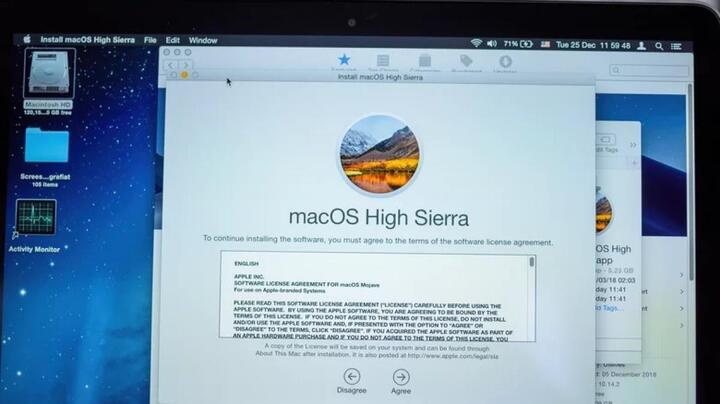
Upgrade to the latest operating system version to receive any bug fixes from the developer.
Apple releases macOS updates annually, and each upgrade includes enhanced features and other improvements to your system. It's important to update your Mac regularly to keep up with software developments and maintain optimal performance. If your computer is running an older version of macOS, your device may malfunction and become sluggish.
To update macOS, plug your computer into a power source, then back up your data so you don't lose any important files in case something goes wrong. Then, click the Apple menu in the upper left corner of the screen and go to... Introducing this Mac >overview >Software updatesIf an update is available, you will see the words "Update Now," click on it, and the update process will begin.



 Comment