



 Hotline: 0855.911.911
  RSS
RSS 





iPhone passwords are typically set to a 4 or 6-digit sequence chosen by the user during device setup. While Apple offers additional, more convenient and secure backup security technologies like Face ID or Touch ID, many users still prefer manually entering numbers.
According to the latest report from two WSJ journalists, this practice poses a security risk if users lose their devices in public places. In many cases surveyed by the investigative team, victims confirmed they lost their phones in crowded places such as bars or public areas at night.
Specifically, the criminals identify their "prey" by monitoring their movements and secretly observing the passwords entered into the phone when the victim uses it in crowded places. Once they know the password, they use various tricks to steal the phone from its owner.
Knowing both the password and having possession of the device gives thieves access to the device's contents, the ability to reset security measures, and even the Apple ID account on the device, preventing the victim from logging in to lock the device or erase data.
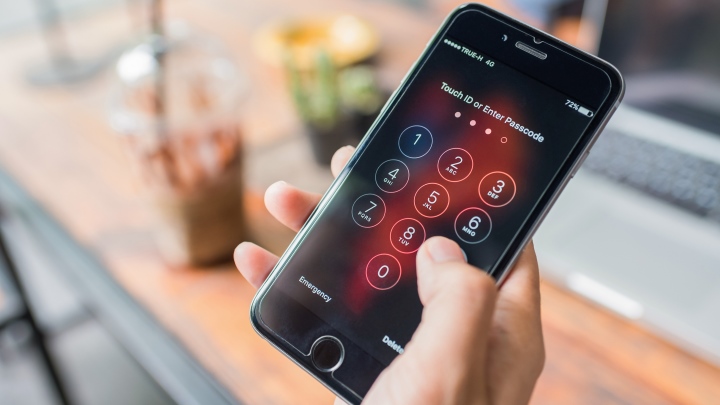
Instead of entering your password, use Face ID or Touch ID in public to ensure the security of your device's data.
To do this, the thief will exploit the iPhone's recovery key generation feature. This is a security tool consisting of a 28-character random string created by Apple to enhance control for Apple ID owners. However, once the code is successfully generated, no one can access the ID without it, including the device owner and the account holder. After preventing the user from accessing the Apple ID, the device thief can freely access the information on the device, including sensitive data such as contacts, messages, emails, photos, videos, or financial and banking applications.
Therefore, experts advise users not to manually enter passwords in public places and to try to use biometric login methods (Face ID facial recognition, Touch ID fingerprint sensor, etc.) whenever possible. If you must enter a password, use your hand or a part of your body to cover the screen during the process.
Additionally, users can increase the complexity of their passwords. Instead of just using a simple 4-6 digit password, they can choose a combination of numbers and letters. To change the password format on an iPhone, follow these steps: Settings > Face ID & Passcode > Change Passcode > Passcode Options > Custom Alphanumeric Code. This option makes the character string more complex and harder to remember.




 Comment