



 Hotline: 0855.911.911
  RSS
RSS 





(VTC News) - Nearly five years ago, Microsoft announced Windows Phone 7, a completely new smartphone platform, but it quickly became outdated after Microsoft's efforts with the Windows platform for phones.
For Microsoft, Windows Phone 7 was one of the most important operating systems the company launched, laying much of the groundwork for the development of the Windows 8 desktop operating system.
However, limitations in Windows Phone 7 forced Microsoft to reboot the operating system to make it more efficient in 2012. When Windows Phone 8 was developed, it became a groundbreaking new product, but there was no upgrade option for any Windows Phone 7 devices.
 |
Since then, Windows Phone has gotten better, although its pace of development has consistently lagged behind its competitors. However, the event on the night of January 21st marked the beginning of a major shift in Microsoft's efforts in the mobile space, and it was the final sign of the future for the Windows Phone 8.1 and Windows RT operating systems.
At last night's event, Microsoft showcased Windows 10 for devices with screen sizes smaller than 8 inches, and also confirmed that all Windows Phone 8.1 devices will be upgraded to Windows 10 completely free of charge, along with Windows 7, 8, and 8.1 users in the first year of its release.
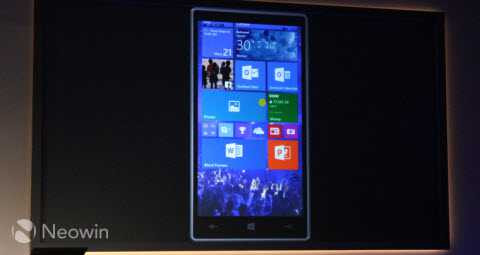 |
The Windows 10 lock screen has few similarities to the Windows Phone 8 version, but the Start screen is slightly different with its first-ever wallpaper support. The All Apps menu looks quite familiar, but one notable change is that the new settings app is now more clearly displayed at the top of the list.
There are welcome improvements in the Action Center. For the first time, you can add more than one row of custom controls along the top of the Action Center. Notifications are synced with your Windows 10 device, so if you dismiss a notification on your phone, it will also be dismissed from your tablet, laptop, or PC.
Similarly, an interactive notification overlay is also very useful. For example, when you receive a text message, you can tap on the displayed notifications and send a reply without having to open the messaging app.
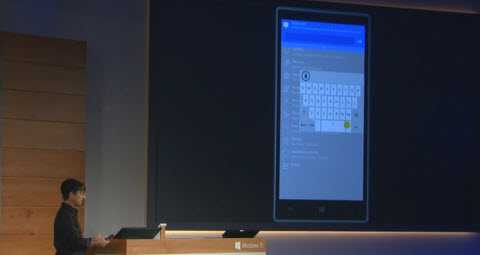
You can also unfold the entire keyboard and move it around the screen to find the most comfortable position. This is especially useful for those who want to experience one-handed typing on a handheld device, but without inconveniencing those who use keyboards on larger devices.
 |
Those who have used Windows Phone will certainly appreciate the significant change that Windows 10 introduces: a completely redesigned settings center with more logically organized settings and options arranged in categories.
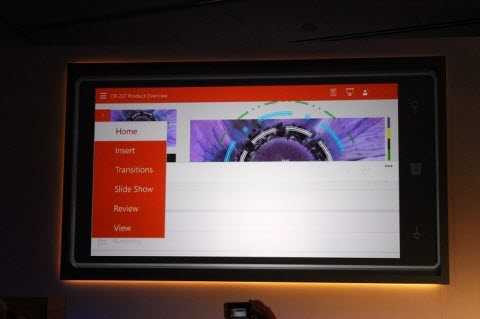
One improvement that Windows Phone users have been waiting for is the new version of Office. User contacts can now connect with the Office suite, a unified software suite for phones, tablets, and touchscreen computers. For the first time, it includes the full Outlook application.
Indeed, with Windows 10, we are seeing a continuation of Microsoft's long-term and gradual strategy of better integration across all products, services, and devices, of which Office is just one example.
 |
Another thing is that Microsoft has integrated Skype directly into the messaging center, making it easier to switch between text messages and instant messaging on Skype without having to open a second app.
In addition, there are several other highlights in Windows 10 that users should know, including:
Thuy Linh
- Microsoft has confirmed it will offer users cloud-stored music collections on OneDrive.
- The new unified app suite includes Photos, People, and Music apps across all Windows 10 devices.
- Project Spartan will also be integrated and available on phones as well as personal computers running Windows 10.
 Comment